At a Glance:
Understanding the Components of a High-Tech Conference Room
Audio Systems That Deliver Crystal Clear Communication
Video Conferencing and Camera Setup
Network Infrastructure and Connectivity
Conference Room Smart Control Systems
How to Choose the Right Equipment for Your Space
Why Trust Carolina Custom Sound
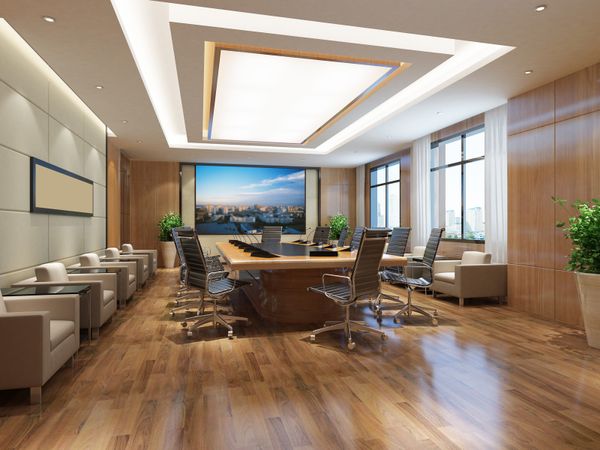
A high tech conference room should be a space where ideas flourish, and communication flows. Imagine a meeting where one click brings the screen to life, audio is crystal clear, and remote attendees feel present in the room. This seamless experience is the goal. Building this space means understanding how modern meeting room technology works together to create an ecosystem for both in-person and virtual collaboration, giving your team a powerful competitive advantage.
Explore Confrence Room Uprades
For meeting scheduling and new video and audio options in conference rooms, speak to the experts at Carolina Custom Sound. They can bring the latest technology to make all your future meetings reliable and productive.
Conference Room UpgradesUnderstanding the Components of a High-Tech Conference Room
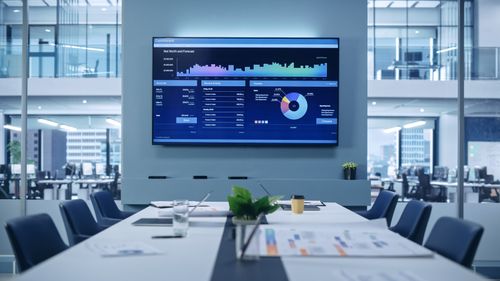
A successful high tech conference room setup relies on several key components working together to create a seamless experience. The goal is to make the technology feel invisible, so the focus remains on collaboration and productivity.
The foundation of a high tech conference room space includes:
- Display Technology: High-resolution screens or projectors that ensure everyone, both in the room and remote, can see content clearly.
- Audio Systems: Microphones and speakers that deliver natural, clear sound, capturing every voice without echoes or drop-offs.
- Video Equipment: High-definition cameras that engage remote participants, with features that make virtual attendees feel like they are in the room.
- Control Systems: An intuitive interface that simplifies starting meetings, sharing content, and adjusting settings with a single touch.
Modern business collaboration technology also incorporates advanced features like AI-powered speaker tracking, automatic lighting adjustments, and real-time transcription to enhance the meeting flow. Smart sensors can even prepare the room by adjusting the environment before a meeting begins. When these elements work in harmony, technical disruptions disappear, and meetings become truly productive.
Essential Display Technology
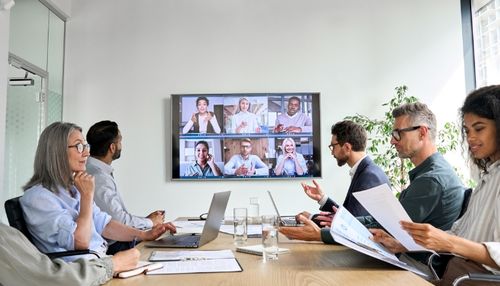
The visual element of any high tech conference room is critical for effective communication. Choosing the right display technology means considering room size, audience capacity, and how the space will be used.
- Small rooms (up to 8 people) are best suited for 55" to 65" commercial displays. These screens offer sharp 4K resolution and fit well in compact spaces.
- Mid-sized rooms (5-10 people) benefit from larger 75" to 86" displays, ensuring presentations are clear from every seat. Interactive screens can add collaborative value.
- Large rooms (10+ people) require 98" displays or laser projectors for screen sizes over 200 inches. Conference room technology, North Carolina businesses often use laser projectors for their impressive resolution in large spaces, though these require controlled lighting.
The decision between flat panels and projectors depends on the room. Flat panels offer consistent brightness and low maintenance, ideal for varied lighting. Projectors create large, cinematic visuals but need dimmer environments for the best image quality.
Learn more: A Deep Dive into the Best Television for Sports Viewing
Audio Systems That Deliver Crystal Clear Communication
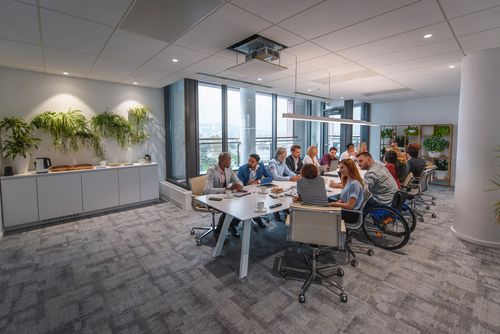
Audio quality is crucial for effective meetings, often more so than visuals. Poor audio leads to frustration and disengagement. Professional meeting room AV installation ensures clear sound by capturing voices naturally and reducing background noise.
- Huddle rooms (2-4 people): All-in-one video bars integrate microphones, speakers, and cameras, offering strong audio performance in compact spaces.
- Mid-sized rooms (5-10 people): These benefit from video bars paired with satellite microphones placed on tables, ensuring even audio pickup across all seats.
- Large boardrooms (10+ people): These require advanced setups with ceiling-mounted microphones, in-ceiling speakers, and digital signal processors (DSP) for echo cancellation and balanced sound.
A commercial AV solutions NC expert can optimize acoustics by addressing hard surfaces like glass or concrete. Acoustic panels, carpet, and soft furnishings reduce reverberation, ensuring clear communication for all participants.
Learn more: How to Transform Your Church's AV Experience
Video Conferencing and Camera Setup
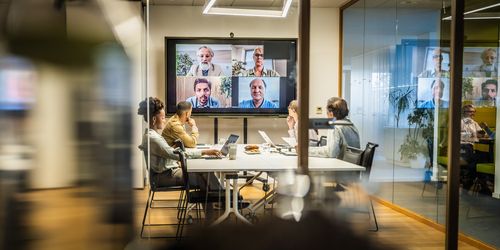
Camera technology has advanced significantly. It’s completely changed how we engage and communicate in meetings. But having the right tech is only half the battle. The selection and positioning of your cameras are what truly create an effective and dynamic video experience.
Let’s break it down by room size:
- For small rooms, a wide-angle lens is your best friend. It can capture everyone in a single frame. Placing the camera at eye level also helps create natural sight lines, making it feel like you're all in the same room.
- In larger spaces, you'll want to bring in the big guns: PTZ (Pan-Tilt-Zoom) cameras. Many now use AI to automatically track who's speaking, creating smooth transitions that keep everyone engaged. You might even consider multiple cameras to get full coverage—one for the whiteboard, one for documents, and another for a wide shot of the room.
But where should you put them? Camera placement is a delicate balance between function and aesthetics.
- Ceiling-mounted cameras offer clean sight lines but usually require a professional to install them properly.
- Table-mounted cameras are more flexible and easier to set up, but they can sometimes be a distraction.
Network Infrastructure and Connectivity
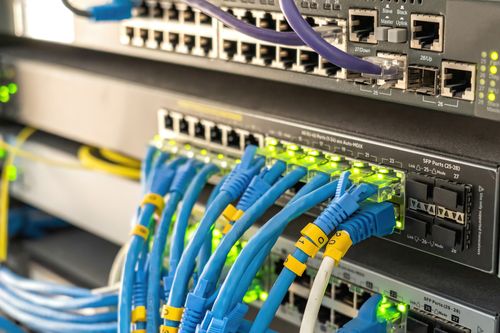
Reliable connectivity is the foundation of any high-tech conference room setup. Features like video calls, wireless sharing, cloud presentations, and collaboration tools require strong internet with sufficient bandwidth for multiple streams. Key considerations include:
- VLANs & Dedicated Network Segments: Enhance security and avoid traffic congestion.
- Backup Internet Connections: Provide redundancy in case of outages.
Power Distribution
Modern conference rooms need robust power distribution to support a variety of devices.
- Outlet Access: Each seat should have outlets for laptops, tablets, and phones.
- Furniture-Integrated Power Solutions: Keep the space organized and accessible.
- Dedicated Circuits for Video Conferencing Equipment: Paired with UPS systems to protect against outages and surges.
Multiple Connectivity Options
Provide flexibility for users by offering multiple device connection methods:
- HDMI & USB-C Ports: Ensure easy compatibility.
- Wireless Sharing: Simplify content sharing.
- Cable Management Systems: Use trays and integrated solutions to maintain a professional, hazard-free environment.
A well-designed network and power infrastructure ensure seamless functionality for every meeting, while keeping the space efficient and organized.
Conference Room Smart Control Systems
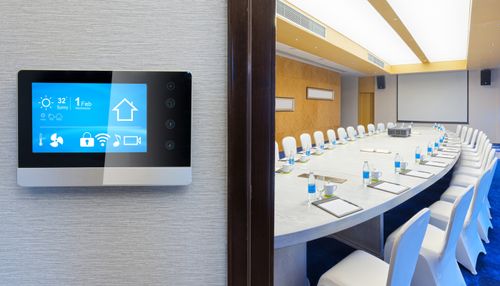
A smart conference room control system simplifies complex technology with an intuitive interface. With just one button, you can instantly adjust the lights, screen, audio, and video.
Here’s how these systems improve your meetings:
- Simple Control: The best systems let you start your meeting with one touch. Centralized touch panels give you complete control over the room without needing multiple remotes or apps.
- Preset Options: Pre-configured settings for different meeting types save time and make things seamless. For example, "Presentation Mode" can dim the lights and switch on the projector, while "Video Conference Mode" sets the camera and microphone levels. Everything is ready in seconds.
- Automation Built In: Modern systems do the work for you. Motion sensors can turn everything on when you enter or shut things down when you leave. Some systems even adjust lighting and temperature automatically based on the time of day or the number of people in the room.
- Calendar Integration: By connecting to platforms like Google Calendar or Outlook, the room can prepare itself for your next meeting. It can display a welcome message, adjust settings, and even send updates to facility management.
The idea is to make the technology invisible. When the focus is on the meeting itself instead of troubleshooting equipment, productivity goes up. You don’t need to be tech-savvy to run a smooth meeting—you just need the right tools.
How to Choose the Right Equipment for Your Space
Choosing the right equipment involves a detailed look at the room itself, how it will be used, and what the organization needs. The most expensive option isn't automatically the best. The goal is to match the technology's capabilities to your actual requirements, while also leaving room for future upgrades.
Room size analysis checklist:
- Measure the exact dimensions, including ceiling height.
- Determine the typical and maximum number of people the room will hold.
- Evaluate natural lighting conditions at different times of the day.
- Identify acoustic challenges, such as hard surfaces or outside noise.
- Document the existing power and network infrastructure.
Usage pattern evaluation:
- Define the main types of meetings (e.g., presentations, video conferences, collaborative sessions).
- Pinpoint how often meetings occur and their typical length.
- Estimate the percentage of participants who will join remotely.
- Note any special needs, like recording or streaming.
- Plan for peak usage times.
Equipment compatibility assessment:
- Confirm that components from different brands will work together without issues.
- Verify that network requirements align with the available infrastructure.
- Ensure power needs do not overload existing circuits.
- Check mounting specifications for displays and cameras.
- Validate that the control system is compatible with any existing building automation.
When considering the budget, it's important to balance the initial purchase price with long-term value. Higher-quality equipment often translates to better reliability, a longer lifespan, and a more positive user experience. Think about the total cost of ownership, which includes installation, training, maintenance, and eventual replacement.
Professional Installation vs DIY Approach
The complexity of modern meeting room technology often means professional installation isn't just a luxury—it's a necessity. While you might manage a simple setup yourself, a high-tech conference room requires expertise in everything from acoustics and network integration to mounting and calibration.
So, what do professional conference room setup services bring to the table?
- Expert Knowledge: Professionals understand room acoustics, optimal equipment placement, and how to integrate products from multiple brands seamlessly. They ensure displays have ideal viewing angles, speakers are positioned to prevent feedback, and cables are managed for both function and aesthetics.
- Acoustic Treatment: Acoustics can make or break a meeting. Specialists like Carolina Custom Sound’s commercial solutions can recommend treatments that enhance speech clarity while maintaining a polished look in your space.
- Network Integration: This involves configuring VLANs, setting security permissions, and allocating bandwidth. A pro ensures your new systems meet all technical requirements and corporate security standards.
- Calibration and Testing: Once installed, every component is calibrated and tested to perform optimally. Audio levels, display settings, and control systems are all fine-tuned for the room and its users.
Even after setup, professional maintenance is key. A commercial audio video installer N provider like Carolina Custom Sound can offer service contracts covering regular inspections, preventive care, and emergency repairs, ensuring your systems are always ready when you need them.
Ready to elevate your space with cutting-edge audio and video solutions? Contact Carolina Custom Sound commercial solutions today for a consultation and discover how we can bring your vision to life. Whether it’s seamless installation, expert calibration, or ongoing support, we’ve got you covered!
Learn more: Unique Ideas for Integrating Restaurant Technologies
Frequently Asked Questions
To set up a high tech conference room, you need to plan several key elements: displays, audio, video conferencing, network, and control systems. Assess the room's size and use cases to choose the right equipment. Professional installation is key to ensure everything is properly integrated and works together for optimal performance.
For a successful meeting space, essential conference room technology North Carolina businesses need includes appropriately sized displays, professional audio with microphones and speakers, HD cameras, reliable network connections, and a central control system. Power distribution for all seating areas is also crucial. Equipment choices will vary based on the room's size and how it will be used.
Professional conference room setup services offer expertise in acoustics, equipment placement, and system integration. Installers address room-specific challenges, recommend acoustic treatments, and ensure proper network integration. They also provide testing and calibration to optimize performance for the environment and user needs.
Conference room control systems simplify operations, letting users manage lighting, displays, audio, and video from a single interface. They cut setup time, reduce frustration, and integrate with calendar systems for seamless meeting prep.
Why Trust Carolina Custom Sound?
Family-owned and operated for over 20 years. Carolina Custom Sound is a national award-winning team of well-trained professionals whose purpose is to integrate lifestyle systems into homes, offices, and other locations. We are proud to have served this community for so long and wouldn’t be here without our loyal clients. We create a more relaxing, engaging, and enjoyable automation experience for our residential and commercial clients.
Our Clemmons Showroom brings the immersive experience of our custom home installations to life with unbridled sound and audio/video which you can feel in person. Visit our Clemmons showroom or let us help you in any of our surrounding service areas like Winston-Salem, Greensboro, Lake Norman, and more!
Shop Conference Room Tech at Carolina Custom Sound
At Carolina Custom Sound, we provide quality top-of-the-line brands for every project. We are known to be sticklers for details, from start to finish on every job. Our installation professionals measure, plan, design, and program with great care to make sure nothing is overlooked. Whether you call us or visit, contact us today! Let us bring your smart home vision to life.